Thoughts: write it once, and it comes back

Catch a thought in a few seconds. Then watch it come back on your slider, so you never forget it.

Why it exists

  • Good thoughts come at the wrong time. In the shower. At night. In a meeting.
  • If they are not written down, they are gone.
  • And if they are written in a long list, you never look again.
  • So OnceWrote shows them back to you, by itself. You do not have to go looking.

On this page

  1. See your slider.
  2. Swipe to see the next thought.
  3. Write a thought.
  4. Fill in the popup.
  5. Find any thought later.
  6. When you see a thought and the time feels right, start.

Step 1. See your slider.

Open OnceWrote. On the Dashboard, the top card is your slider. It shows one thought, in the colour of its tag. The little dots show there are more.
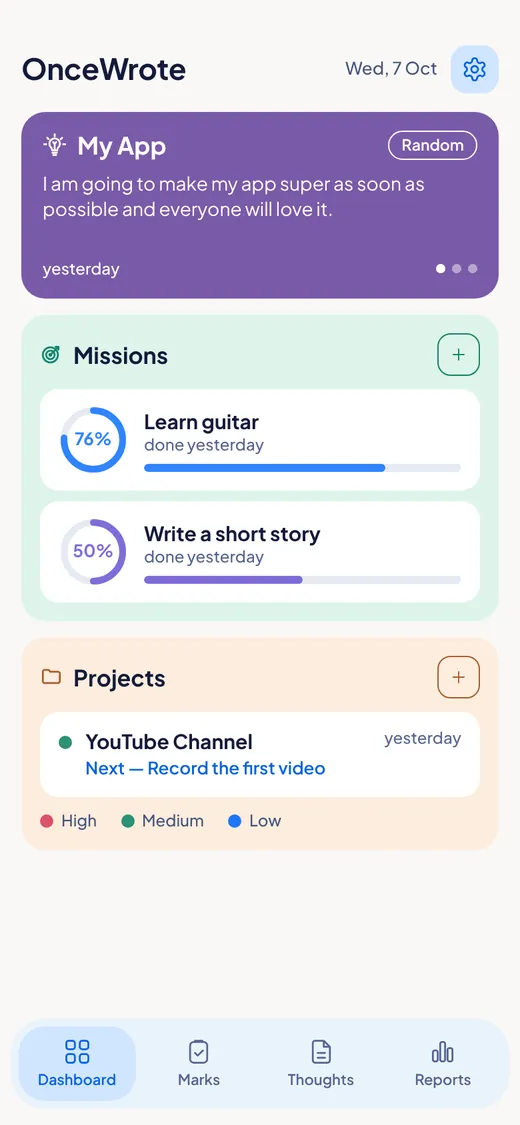
The Dashboard slider showing a thought called My App with a Random tag.

Step 2. Swipe to see the next thought.

On a phone, swipe sideways. On a computer, click the arrows. It also moves on by itself, slowly. Every thought you write will come round.
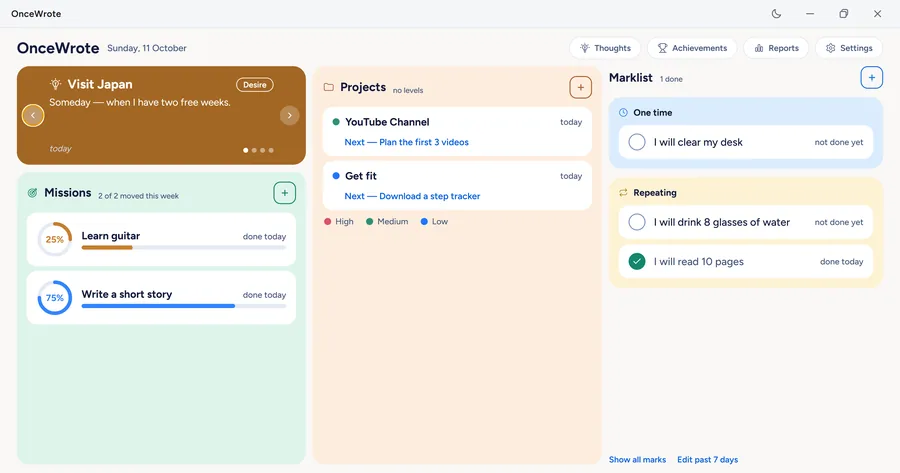
Dots under the slider card show how many thoughts it holds.

Step 3. Write a thought.

Open the Thoughts tab. Tap the round + button.
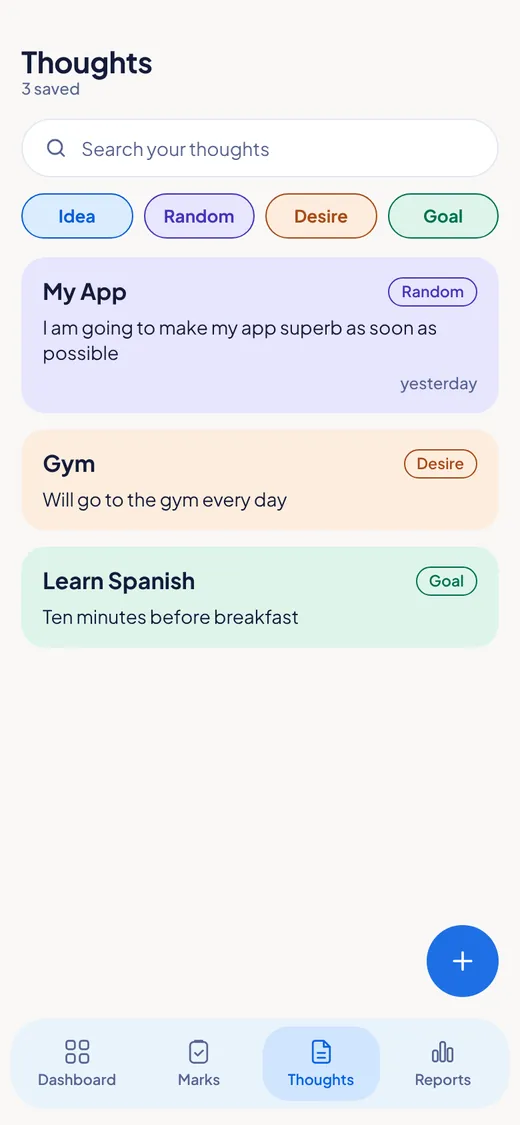
The Thoughts tab with three saved thoughts and the plus button.

Step 4. Fill in the popup.

A small popup opens. Give your thought a short heading if you like (you do not have to). Write the thought. Then pick one tag: Idea, Random, Desire or Goal. Tap Save.
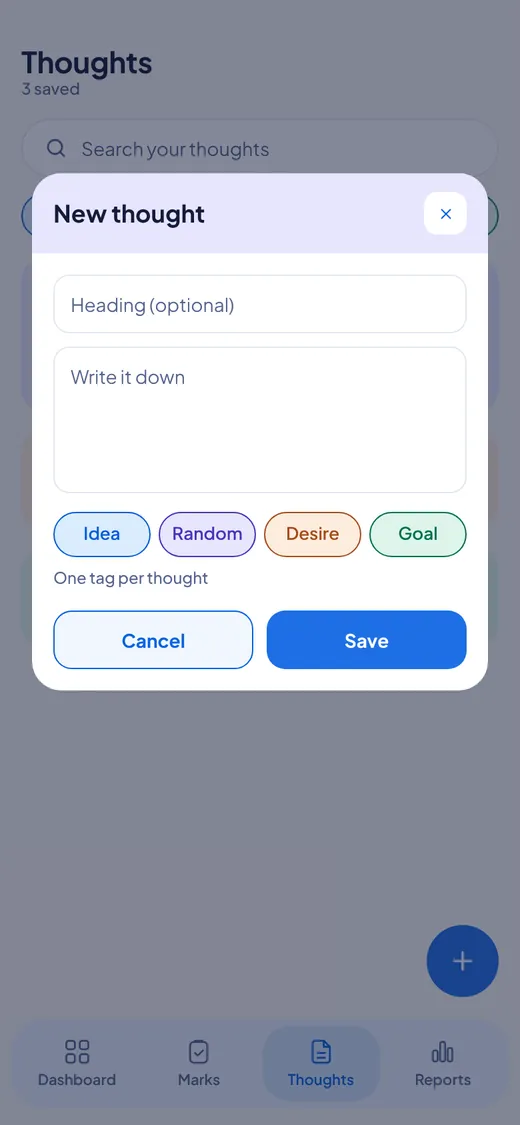
The New thought popup with a heading box, a writing box, four tags and Cancel and Save buttons.

Step 5. Find any thought later.

In the Thoughts tab, your thoughts are in a list. Use the search box to find a word. Tap a tag chip to see only that kind.

The Thoughts list with a search box and four tag chips: Idea, Random, Desire and Goal.

Step 6. When you see a thought and the time feels right, start.

You see a thought on your slider. It says "Learn Spanish". You think: yes, now. Make a mark for today. Or a project with actions. Or a mission with levels. The slider did its job.

The plus buttons on the Missions and Projects blocks of the Dashboard.

The four tags

TagUse it for
IdeaSomething you might make or try
RandomAnything at all
DesireSomething you want
GoalSomething you want to reach

Good to know

  • One tag for each thought.
  • A heading is optional. Only the thought itself is needed.
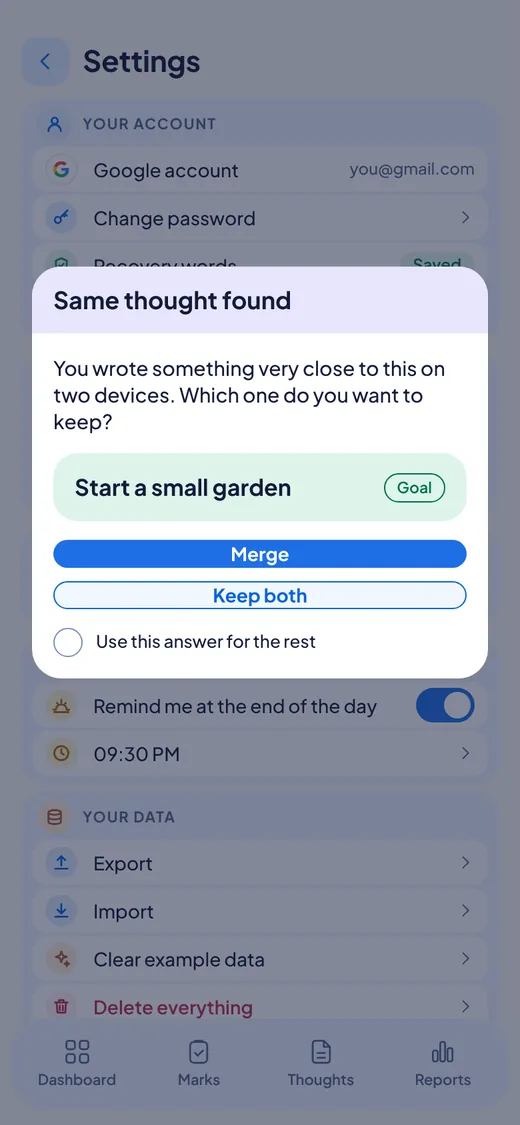
  • If you write almost the same thought on your phone and your computer, OnceWrote asks what to do: Merge or Keep both. It never throws one away without asking.
  • Your thoughts are locked with your password, like everything else.
  • The slider never shames you. It is not a to-do list. It is a mirror.
A popup that asks which version of a thought to keep, with Merge and Keep both buttons.

Questions

  • Do I have to act on every thought? No. A thought can stay a thought.
  • Can I search my thoughts? Yes, in the Thoughts tab.
  • Does the slider work on the computer? Yes, with arrows.

Features

For Windows and Android. Not on iPhone or Mac yet.