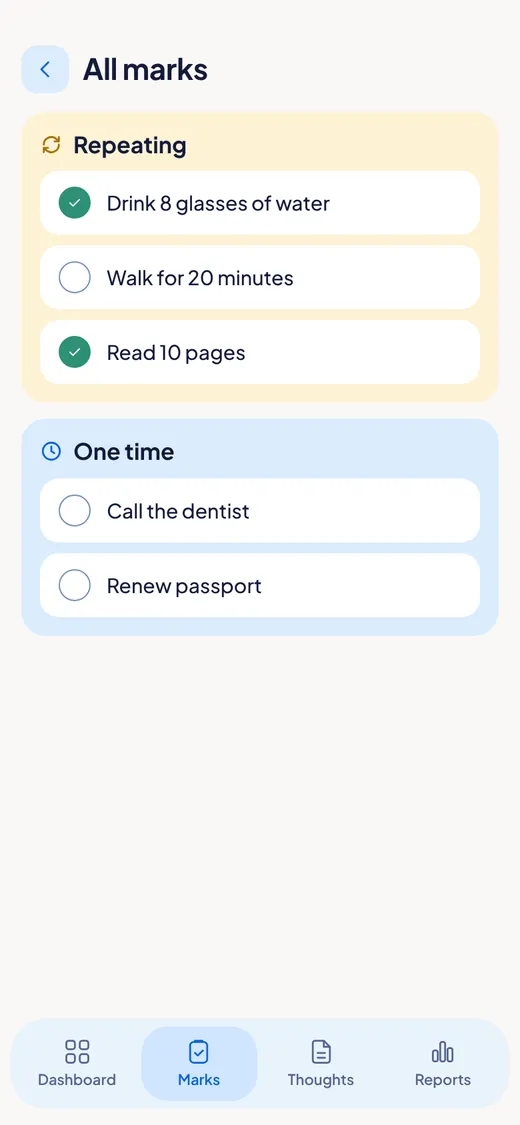
Step 1. Open the Marks tab.
You see your marks in two groups: One time (do it once) and Repeating (do it again and again).
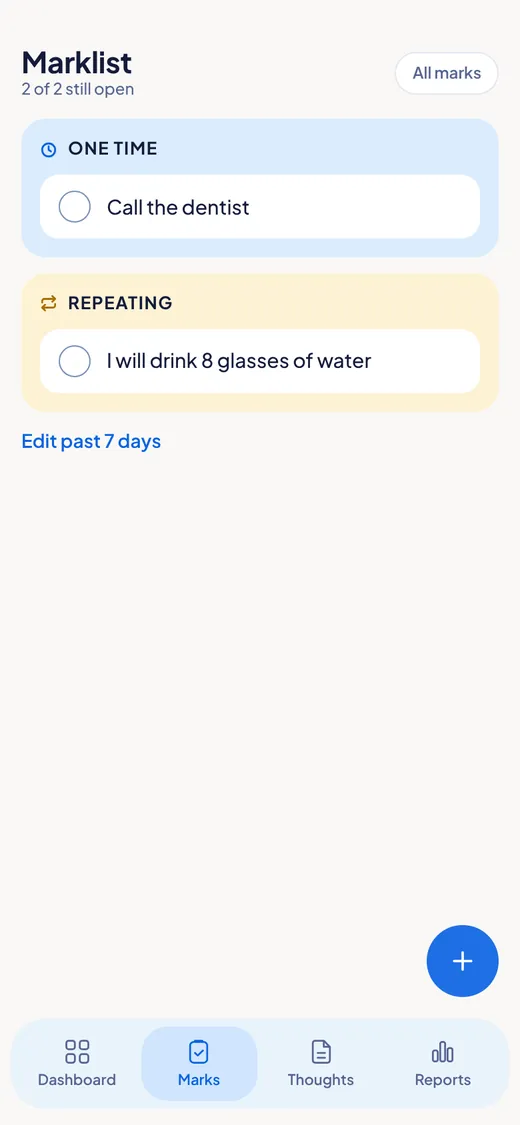
Walk. Read. Drink water. Call the dentist. Tap to tick it when it is done.
You see your marks in two groups: One time (do it once) and Repeating (do it again and again).
Tap the + button. Write what you want to mark. Choose One time or Repeating. For Repeating, choose the days. Add a note if you like. Tap Save.

Tap a mark to tick it. Tap again to untick it. That is all.
Tap Edit past 7 days. Choose the day. Tick what you did. It counts for that day.

Tap All marks (top right). You see every mark with its days. Tap one to change it. You can pause a repeating mark, and bring it back later.